.svg)
Meet Flowlity Co-planner,
your AI co-pilot for Supply Chain.
Your planners switch between 6 tabs to answer one question from their VP. Co-planner ends that. Ask a question, generate scenarios, create a dashboard or complete tasks, directly from your AI assistant.
Get a demo


Your planners have the data. Your execs don't have the time.

Your planners already use AI assistants every day.
Ask your AI assistant. Get your real Flowlity data.
Flowlity Co-planner is an MCP server that turns any compatible AI assistant into a native interface for Flowlity. The AI becomes the UI, Flowlity stays the engine.
Query your data

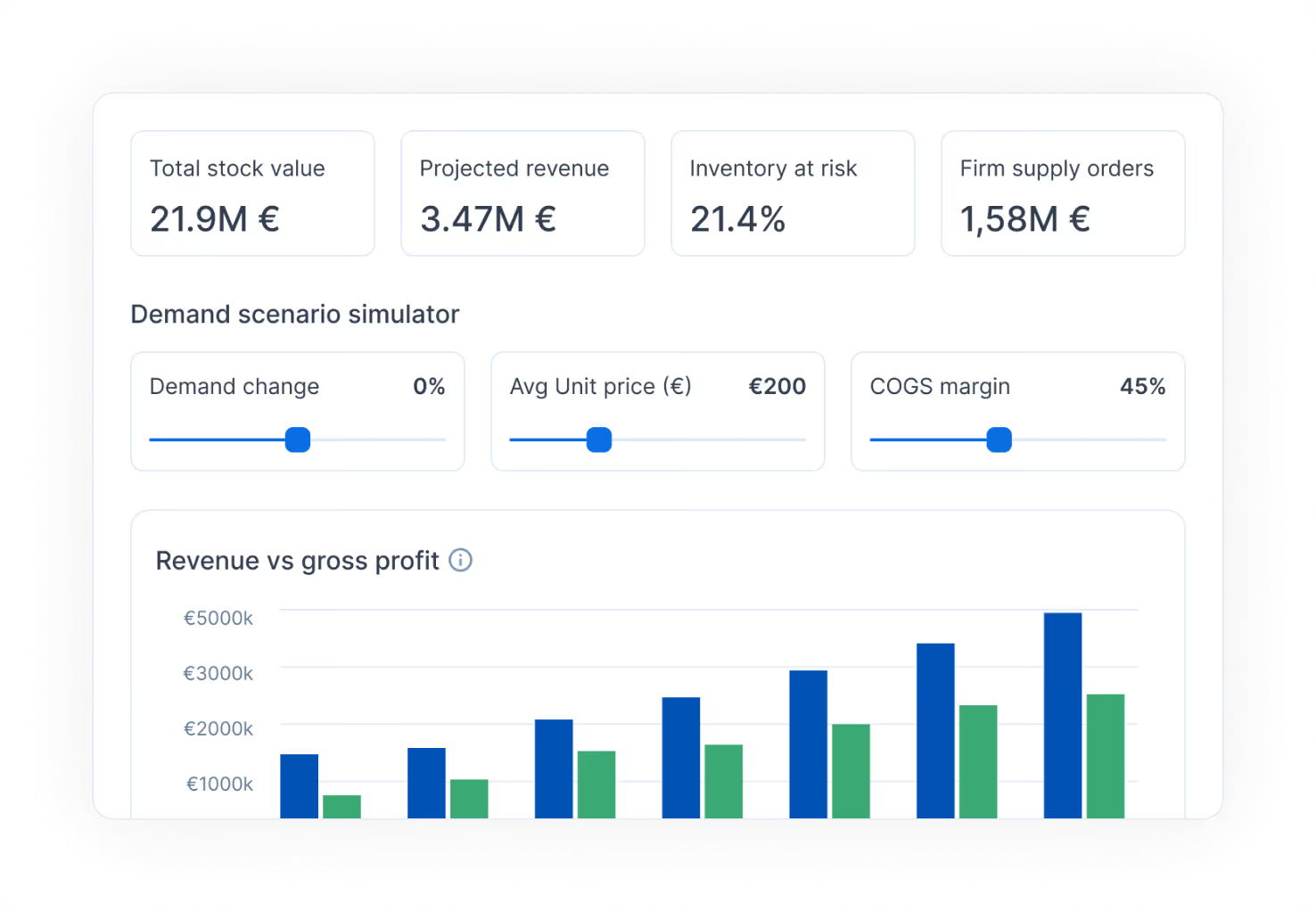
Run simulations
.svg)
Take action on the platform

Work across systems
.svg)
Not a sidebar: an interface

Accurate, secure, governed, open, by design

Deterministic, not hallucinated

Your permissions, by default

Private by design

Built on an open standard
FAQ - Flowlity Co-planner
Find here everything you need to know.
What is Flowlity Co-planner?

Flowlity Co-planner is an MCP (Model Context Protocol) server that connects Flowlity's Supply Chain planning platform to AI assistants like Claude, ChatGPT, and Copilot. Instead of clicking through dashboards, planners can query their demand forecasts, inventory levels, and KPIs through natural-language conversations in the AI assistant they already use every day.
Beyond read access, Co-planner also exposes write tools: creating custom planning views, configuring promotions, adjusting forecasts, uploading data, or accepting recommended orders, all triggered from the same chat. Every action runs against the live Flowlity database and respects the user's existing permissions. The AI becomes the interface; Flowlity remains the planning engine. No new app to learn, no separate chatbot to maintain.
What is the Model Context Protocol (MCP)?
MCP, or Model Context Protocol, is an open standard that defines how AI assistants connect to external systems and data sources. Introduced by Anthropic in late 2024, it's now supported by Claude, ChatGPT, GitHub Copilot, Gemini, and a growing list of enterprise tools.
Think of MCP as a universal adapter between AI clients and business systems. Before MCP, every AI integration required custom glue code and proprietary APIs. With MCP, any AI client that speaks the protocol can plug into Flowlity the same way, and Flowlity only needs to expose its capabilities once. This matters because it removes vendor lock-in: as new AI assistants launch, they can connect to Flowlity Co-planner without Flowlity rebuilding the integration from scratch.
Flowlity Co-planner vs an embedded AI sidebar: what's the difference?
An embedded AI sidebar, the kind you see inside a single SaaS app, can only see and act on what's available within its host. Useful for app-specific shortcuts, but limited when your planning decisions depend on data sitting in multiple systems.
Flowlity Co-planner runs inside your AI assistant, not inside one app. That means the same conversation can reach Flowlity, your CRM, your ERP, and your spreadsheets at once. A concrete example: pull open opportunities from HubSpot, match them against your Flowlity demand forecasts, flag the mismatches, and adjust the forecast, all in one thread, without switching tools.
The difference is architectural. A sidebar extends one app with AI. Co-planner turns your AI into a native interface across every system you already use for planning decisions.
Which AI assistants are supported?
Flowlity Co-planner works with any AI assistant that supports the MCP standard. As of April 2026, that includes Claude (recommended), ChatGPT, GitHub Copilot, and Claude Code (the command-line version). Gemini added MCP support in early 2026, with Flowlity Co-planner compatibility currently being validated.
Claude is recommended because it was the first AI assistant to adopt MCP and offers the most mature tool-calling behavior for complex Supply Chain queries. Any AI client that implements the MCP standard can connect to Flowlity Co-planner without requiring a custom integration on Flowlity's side, that's the benefit of building on an open protocol: as new assistants adopt MCP, they become compatible automatically.
Your Flowlity CSM can confirm the best option based on your team's existing AI assistant subscriptions.
Can the AI change my data, or only read it?
Both, but every action is scoped by your permissions. Flowlity Co-planner exposes two categories of tools to the AI assistant.
Read tools cover stock levels, forecast accuracy, KPIs, alerts, orders, capacity, and product detail. These are the queries most planners run daily: "what's my current stock coverage on Class A SKUs?", "how is MAPE trending in the North region?", "which sites are flagged for capacity issues this week?".
Write tools cover actions like creating Demand or Planning views with auto-selected columns, configuring promotions, adjusting forecasts, uploading CSVs to trigger a data import, and accepting recommended orders. All write actions run under the user's own Flowlity credentials, so a planner can only modify what they would already be allowed to modify inside the app. Role-based governance carries through end to end, the AI doesn't bypass your permission model, it inherits it.
Is Flowlity Co-planner secure?
Yes, and security was a core design decision rather than an afterthought. Three pillars underpin the architecture.
Authentication uses OAuth 2.0 with your existing Flowlity credentials. There's no separate login, no third-party token broker, the same identity that grants access to the Flowlity app grants access to Co-planner.
Authorization enforces your platform permissions on every tool call. A site manager only sees their sites, a planner only sees their perimeter. The AI cannot query data the user wouldn't already be able to query inside Flowlity.
Network isolation keeps traffic off the public internet. Database public IPs are disabled, and authentication is handled by Flowlity's own OAuth service with bearer tokens. There is no public endpoint to attack. For detailed security documentation, your Flowlity CSM can share the full architecture brief on request.
How much does Flowlity Co-planner cost?
There's no additional cost on the Flowlity side. Flowlity Co-planner is included in every Flowlity subscription, you don't pay extra to enable it, and there's no usage-based fee per query.
The only requirement on your end is an AI assistant subscription compatible with MCP. That typically means Claude Pro or Claude Team for Claude, ChatGPT Plus or Team for ChatGPT, or your existing GitHub Copilot plan. These subscriptions are managed directly with the AI provider and are independent of your Flowlity contract.
From a setup standpoint, onboarding is quick: your CSM shares the server URL and your client ID, you connect the MCP server to your AI assistant of choice, and you're ready to run your first query. Most teams are fully set up in around 15 minutes.